
Better Product Photos With Your Phone: A Small-Shop Guide
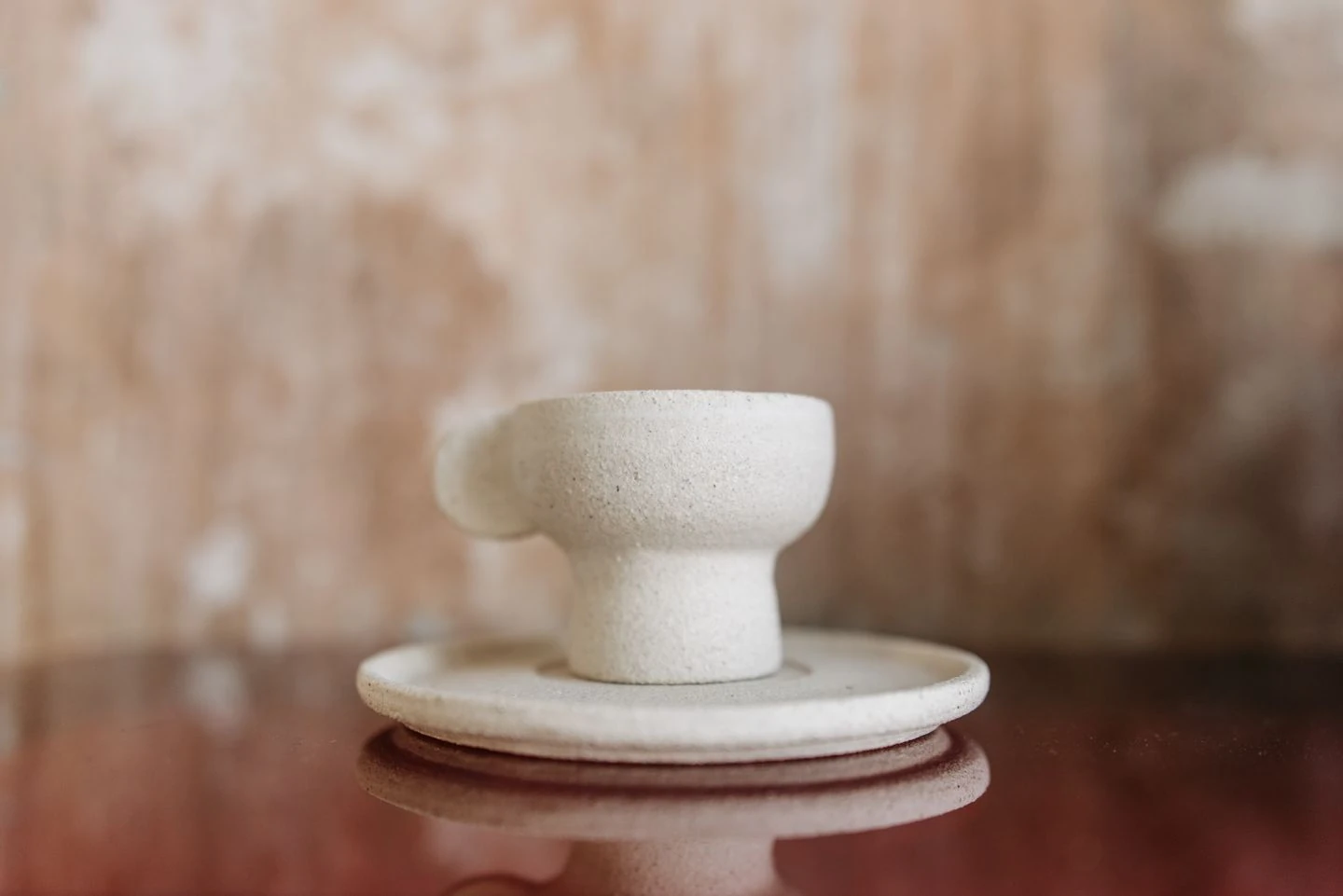
A pale ceramic cup and saucer showing surface texture and the handle. Illustrative photograph: Pavel Danilyuk / Pexels; not a phone shoot we conducted or a product we sell.
- Before photographing a product, write down what a buyer needs to see
- Your starting studio: a stable surface and a quiet background
- Work on the light before reaching for a filter
- Set up the phone you own before shopping for a new one
- A five-shot plan: give each image a different job
- Edit the image—not the truth about the item
- Three familiar problems: change one thing at a time
- Before uploading, look through your buyer's phone
- Photographs and sources
Imagine a ceramic mug you made or chose with care. In the photo it looks tiny, its color seems wrong, and a heavy shadow swallows half the handle. Then comes the message: “Does the saucer come with it?” The problem is not necessarily the product—or the phone. Sometimes a picture tries to be beautiful before it becomes understandable.
A useful shop photo earns attention, then answers a question. What am I buying? How large is it? What does the surface look like? What will actually arrive? This is a practical guide to phone product photography for a small shop, with a repeatable shooting plan. It promises neither a sales uplift nor professional-camera results. The illustrative photographs are not a shoot we conducted.
Before photographing a product, write down what a buyer needs to see
Start with one item, not the whole shop. Note its exact name, color, dimensions, included pieces, and anything likely to prompt a question. For a mug: is the surface smooth or textured? Is the saucer included? Will the customer receive this particular handmade piece or another example of a repeatable design?
Etsy's explanation of product-photo types separates jobs such as showing the item, communicating scale, revealing details, and placing it in use. Turn that idea into a simple editorial test: if two pictures answer the same question, perhaps you need different information rather than another angle for its own sake.
Your starting studio: a stable surface and a quiet background
Do not start by buying lights, lenses, and apps. Etsy's shoot-preparation checklist suggests a simple background, a way to steady the camera, and a planned set of shots. A large sheet of paper or clean surface may be enough to begin; make sure the item's outline remains distinguishable.
Build a setup you can return to: the product position, phone position, and direction the item faces. Take a wide reference picture for yourself, not for the listing. When the next product arrives, you will not have to reinvent the scene. Secure the phone away from the edge; do not balance an unstable improvised support above something valuable.
One useful visual rule: remove anything that does not help explain the product. Props can belong in a supporting styled image. The introductory picture is not a competition to find the busiest tabletop.
Work on the light before reaching for a filter
Etsy's lighting guidance recommends indirect natural light near a window and avoiding mixed light sources with different color casts. A white board opposite the light can help soften a shadow. There is no magic distance that suits every room and material.
Take a test picture and compare it with the object. Does the mug still look its actual color? Is the ceramic texture visible, or has it disappeared into bright white? Adjust the item or light before pushing brightness so far that detail vanishes. With glass or glossy surfaces, check reflections of yourself and the window too.
Set up the phone you own before shopping for a new one
Start with a clean lens. Google's Pixel Camera support recommends gently wiping the camera glass with a soft, clean cloth. A fingerprint is not the atmospheric haze your product needed.
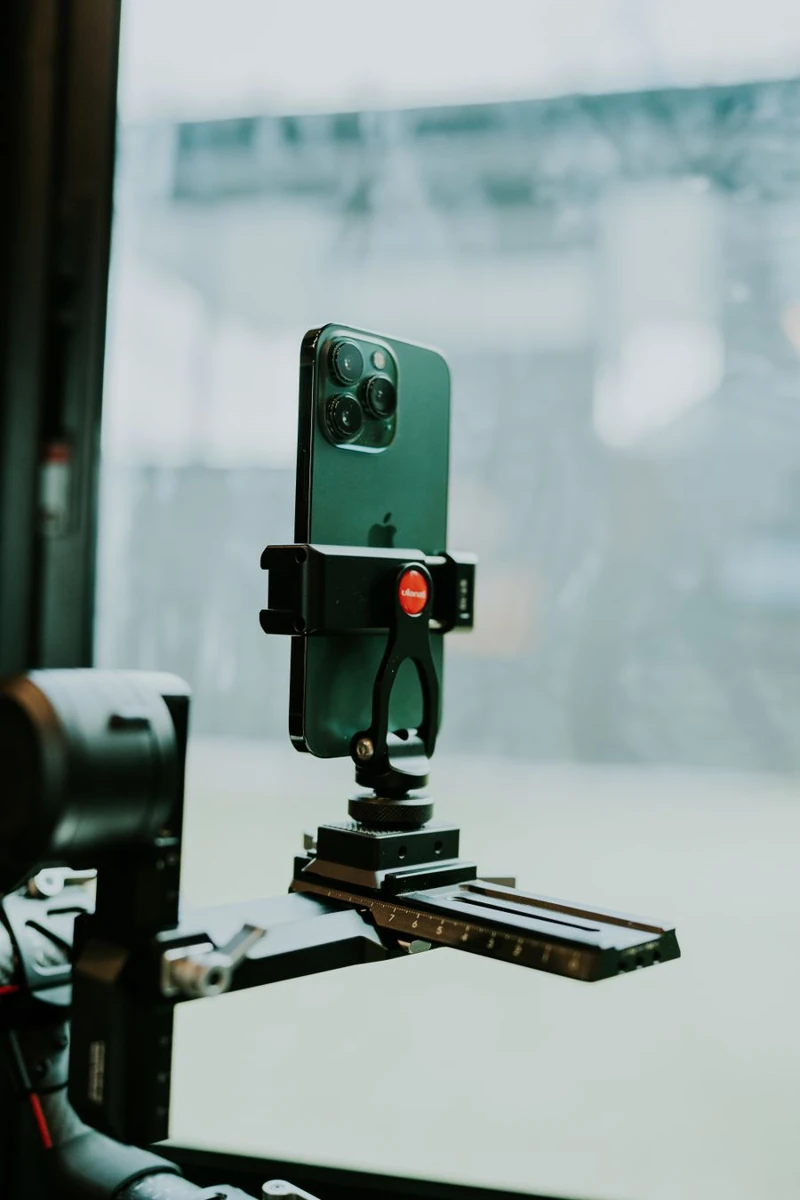
Shopify's phone-photography guide discusses stability, focus, exposure, and reviewing the result. Start with the rear camera, select the product for focus, and adjust brightness if your app provides that control. Buttons and capabilities vary by device and app; a particular professional setting is not available on every phone.
Inspect the full-size picture rather than only a tiny preview. If the mug's rim is sharp but an important mark is unreadable, revisit focus or distance instead of adding a flattering filter. Keep framing consistent between shots rather than randomly moving the phone after every picture.
A five-shot plan: give each image a different job
This is a suggested editorial plan for a mug and saucer, not a platform requirement or a shoot we tested. Adapt it to your item. eBay's photo guidance emphasizes showing what is for sale, photographing flaws, and distinguishing a single item from a bundle.
- Identification: the complete item, without cutting off the handle or hiding the base. If the saucer costs extra, do not let the main picture imply it is included.
- The missing view: an angle revealing the handle shape, opening, or back. Choose useful information, not a mechanical rotation for its own sake.
- Material: a detail showing the surface, rim, or finish. Can someone understand the quality they are paying for?
- Scale: a clear measurement reference, supported by actual dimensions in the description. A pretty picture beside an unfamiliar plant is not a ruler.
- Order contents: only the pieces and accessories included. Explain decorative props or optional packaging if they appear elsewhere.
For a used or flawed item, add a clear photograph of the issue and describe it plainly. “You can see the scratch if you look closely” is not a useful communication standard. Complex products may need more images; five is a planning aid, not a reason to stop too soon.

Edit the image—not the truth about the item
Cropping, straightening, and moderate brightness or color corrections are different from inventing a new product surface. Keep the original and compare the edited version with the physical object. The goal is not to make a mug whiter than it is or erase variation the customer will notice when opening the parcel.
eBay's picture policy prohibits inaccurate representations, stock photographs for used or defective items, and additions such as text or watermarks. Those are that platform's rules: check the current requirements where you sell rather than treating them as universal.
If you use a tool to remove or generate a background, inspect handles, edges, and shadows. Reject results that cut away a real feature or add something the item does not have. A beautiful generated image is not evidence of a real product's condition. When you cannot verify a faithful match, prefer a clear original.
Three familiar problems: change one thing at a time
- “The product is hard to see.” Simplify the background first, then review focus. Change lighting, angle, and editing together and you will not know what helped.
- “People keep asking how big it is.” Add scale information to the gallery and description rather than making another decorative photograph.
- “My shop pictures do not match.” Record the location, light, and framing as a reference for the next session—not an unchanging recipe when all the conditions have changed.
This is a way to reduce guesswork, not a scientific test or a commercial promise. Keep a note of questions people still ask. They may reveal a missing photograph more clearly than a like count does.
Before uploading, look through your buyer's phone
View a small thumbnail, then open the image for inspection. Check that automatic cropping does not hide an important part and that enthusiastic editing has not altered the color. Confirm dimensions, file size, and format with the selling platform itself; there is no single specification for every destination.
OfferUp's guidance calls for pictures of the actual item and warns against exposing personal information in the frame. Check addresses, shipping paperwork, screens, and reflections before uploading. Licensed illustrations in a tutorial like this are not substitutes for photographs of the item you are selling.
If food is your business, try our smartphone food-photography guide. If you are presenting design work rather than merchandise, see how to build an honest freelance portfolio. Start with one product and pictures that answer its questions. Your entire room does not need to become a studio.
Photographs and sources
Cover photograph: Pavel Danilyuk / Pexels; inline photographers are credited beneath their images. All three are real photographs used under the Pexels License, not before-and-after comparisons or phone pictures we took. We do not sell the pictured products or imply photographer or brand endorsement. Professional sources are linked beside the guidance they support. The examples and shooting plan are illustrative, without invented sales results.
Image preparation used proportional resizing and WebP conversion only, without cropping or generating elements. Both language versions use the same licensed photographs, with photographer and license links above.


What do you think?
Share your thoughts or experience. Keep the conversation kind and on topic.
Participation Rules
نريدك أن تكون مصدرًا لزملائك من القراء ونأمل أن تستخدم قسم التعليقات لإجراء ذلك. لقد صممناها لرفع وتوسيع الاستجابات الأكثر ذكاءً وإدانةً ، وتقليل أو إخفاء الأسوأ. هذه هي قواعد الطريق:
ابقى في صلب الموضوع
عند تقديم تعليق ، لا تخرج عن الموضوع. لا تعلق على المعلقين الآخرين أو معتقداتهم السياسية المفترضة. ناقش مزايا القصة نفسها. لا تنشر تومي. هذا ليس المكان المناسب لصق فصل من رسالتك (أو أي شخص آخر) أو ورقة بيضاء.
أظهر الإحترام.
نحن نشجع ونقدر النقاش العميق. ما عليك سوى التأكد من أنه عندما لا تتفق مع فرضية القصة أو أي معلق آخر ، فإنك تفعل ذلك بطريقة محترمة ومهذبة.
كن مهذبا وحافظ على نظافته
نحن نغطي التكنولوجيات الجديدة موقعنا ليس منفذاً للفظاظة. نحن لا نتسامح مع الإهانات الشخصية ، بما في ذلك استدعاء الأسماء أو العنصرية أو التمييز الجنسي أو الكلام الذي يحض على الكراهية أو الفحش. هذا يعني أنه لا توجد أي ملاحظات بذيئة أو مسيئة أو مضايقة أو تنمر. إذا لم تكن مدنيًا ومهذبًا ، فلا تنشره.
تجاهل المتصيدون
أفضل رد على القزم - شخص ما يتكرر عدائيًا واستفزازًا - ليس ردًا. من فضلك لا تشجع السلوك السيئ عن طريق الاستجابة ؛ انها لا تخدم سوى لسرور المتصيدون والبيض عليها. إذا كان هناك شخص ما يسيء استخدام موضوع مناقشة ، فأبلغ عن أي تعليقات مسيئة ، وسنتناول الموقف.
كن مسؤولاً وأصيلاً
انشر آرائك فقط بكلماتك الخاصة. أنت مسؤول عن المحتوى الذي تنشره.
لا تنشر رسائل غير مرغوب فيها أو إعلانات
إذا لم يكن لديك عقد إعلان معنا ، فإن هذا الموقع الإلكتروني ليس عبارة عن لوحة إعلانات لنشاطك التجاري. لا تنشر محتوى غير مرغوب فيه أو محتوى ترويجي ذاتي أو حملات إعلانية. لا ضغط أو تجنيد أو استجداء.
نقرأ التعليقات
على الرغم من أن مجالس مناقشاتنا لا تخضع للإشراف الرسمي ، إلا أننا نولي اهتمامًا وثيقًا بها. نحتفظ بالحق في تعديل أو حذف التعليقات التي لا تلبي معاييرنا.
نحن نحظر الأعضاء الفاضحين
إنه ليس شيئًا نتمتع به. ولكن عند الضرورة ، سنحظر الأعضاء الذين لا يلتزمون بهذه الإرشادات.
شكرا على اتباع هذه المبادئ التوجيهية.